
Chapter 3
Processing returns and exchanges
The returns queue is your daily workbench. Everything is grouped per order, so you see the whole case in one place — even when a customer both exchanges and returns.
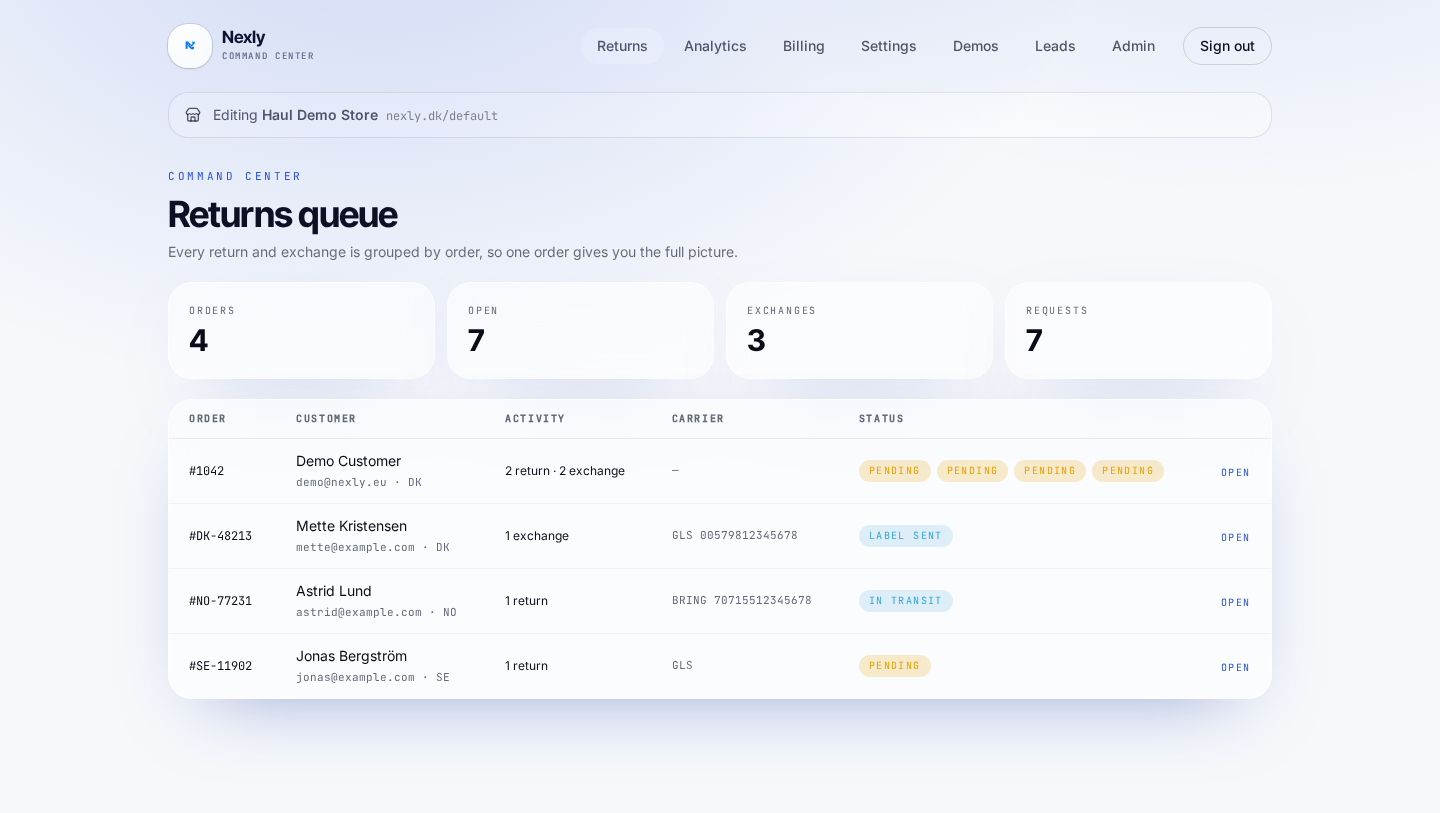
Reading the queue
The top row shows orders, open cases, exchanges and total requests. The table lists order, customer, activity, carrier and status.
Statuses follow the case: Pending → Label sent → In transit → Received → Completed. Click Open to expand the order.
A return in practice
The customer already has their label. When the parcel is back, open the case, mark the item received and hit Refund.
Nexly refunds through Shopify, deducts any return fee and records the refund on the order. If the customer chose store credit, the same button issues the gift card including the bonus.
An exchange in practice
For exchanges Nexly has already created the return in Shopify with the requested variant. If the new variant costs more, a Shopify invoice for the difference has been sent automatically.
When you are ready to ship the replacement, hit Create exchange label. Nexly pulls the delivery address from Shopify, creates the shipment in your 3PL and fulfils the item in Shopify — all on the original order.
Cancellations (right of withdrawal)
If the order is unfulfilled, the customer can cancel it entirely or remove individual items. Nexly checks fulfillment status in Shopify first, performs the action and logs it, so you can evidence compliance.
When something fails
If a label call or a Shopify write fails, the case gets an error status and an email goes to your operations address with the order, the reason and a retry link. Duplicate shipments are never created: retries reuse the existing label.