
Chapter 2
Every setting — and what it does
Settings is where you decide what the customer may do, what it costs, and how labels are delivered. Everything is stored per store and per country.
Return window and countries
Rules are set per country (DK, SE, NO, DE and the rest of the EU). Each country has its own return window in days, its own carrier product and its own template.
Where you do not offer free returns, the portal shows manual instructions with your return address and reference text instead — and the customer can enter their own tracking number so the case still lives in the system.
What the customer is allowed to do
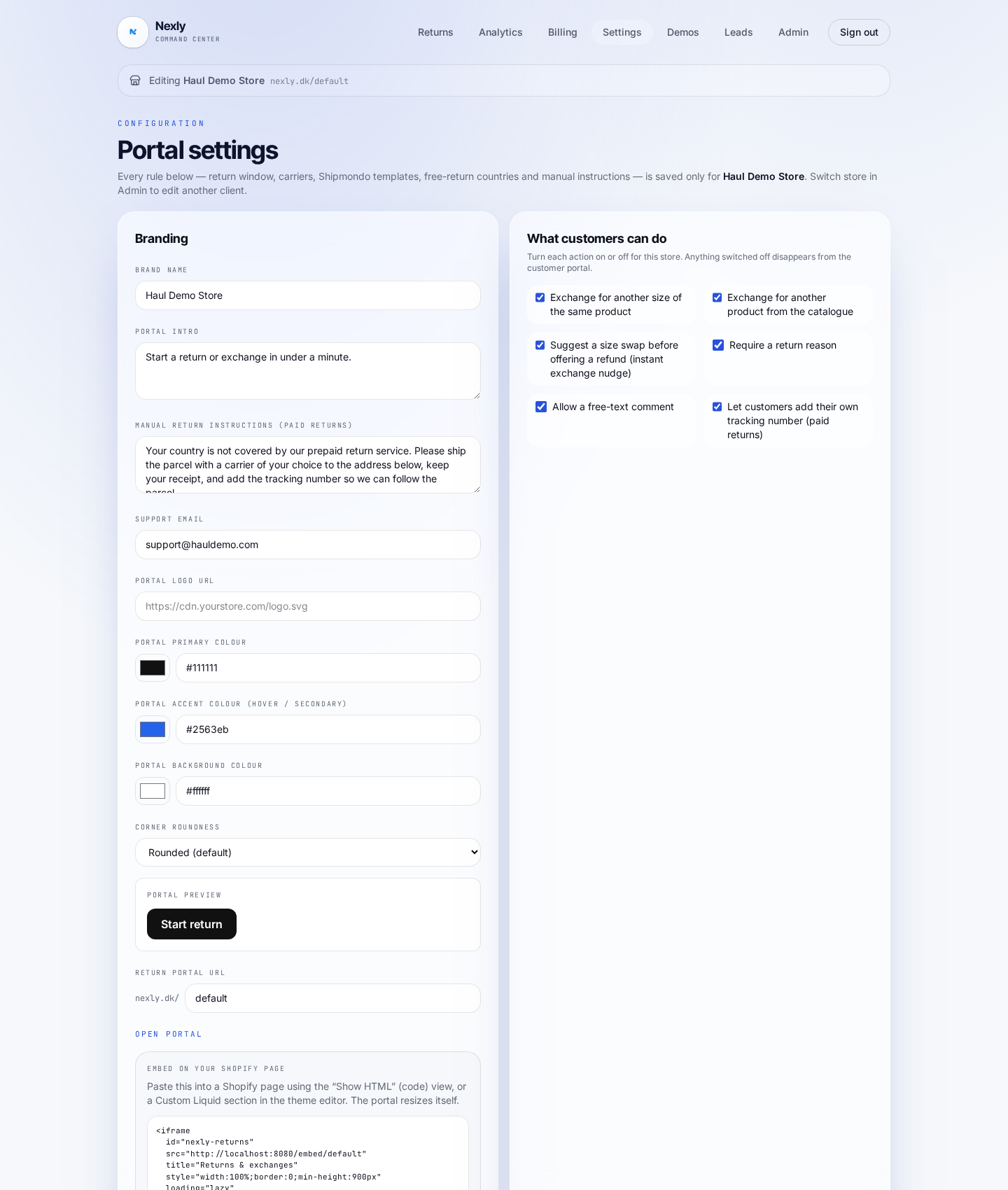
Each toggle switches an action on or off in the portal:
- Exchange for another size of the same product — the fastest way away from a refund
- Exchange for another product from the catalogue — with live stock and price
- Full cancellation of an unfulfilled order (EU right of withdrawal)
- Partial cancellation — remove individual items from an unfulfilled order
- Whether a return reason is required, and whether a comment is allowed
- Whether the customer may submit their own tracking number for manual returns
Return fee and refund method
Turn on customer-paid return shipping and set the amount (for example 50 DKK). It is shown clearly in the portal and deducted automatically when you refund from Nexly.
Turn on store credit and the customer can choose a gift card instead of money back, with the bonus percentage you set (for example +10%). Nexly issues a real Shopify gift card and records it on the order.
Exchange nudge
With the exchange nudge the portal suggests an available size before it ever offers money back: "It comes in XL — swap instead?" One click moves the customer from refund to exchange.
Label delivery: QR, PDF or both
Under Return label delivery you choose Both (QR + printable label), QR code only, or Printable label only. "Both" is recommended: a QR code for the parcel shop plus a PDF for customers who prefer to print at home.
The label email carries your logo and links to your website, keeping the customer inside your brand.
Addresses, wording and embed
At the bottom you set the return address, support email and the copy the customer sees in the portal. The embed snippet that drops the portal into a Shopify page at full height lives here too.